TP-LINK
TL-SG2218P
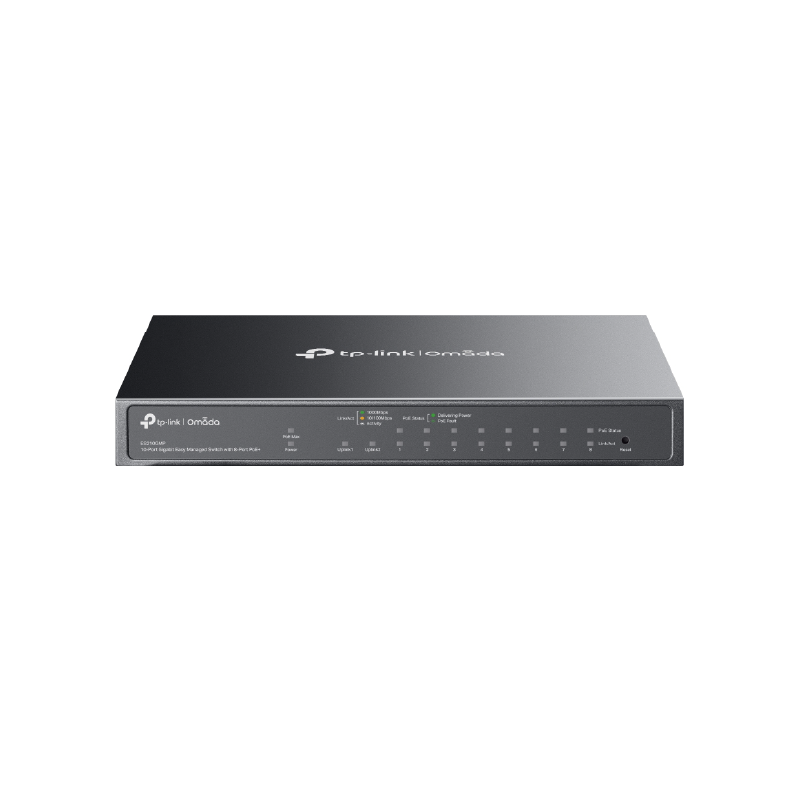
JetStream 18-Port Gigabit Smart Switch with 16-Port PoE+
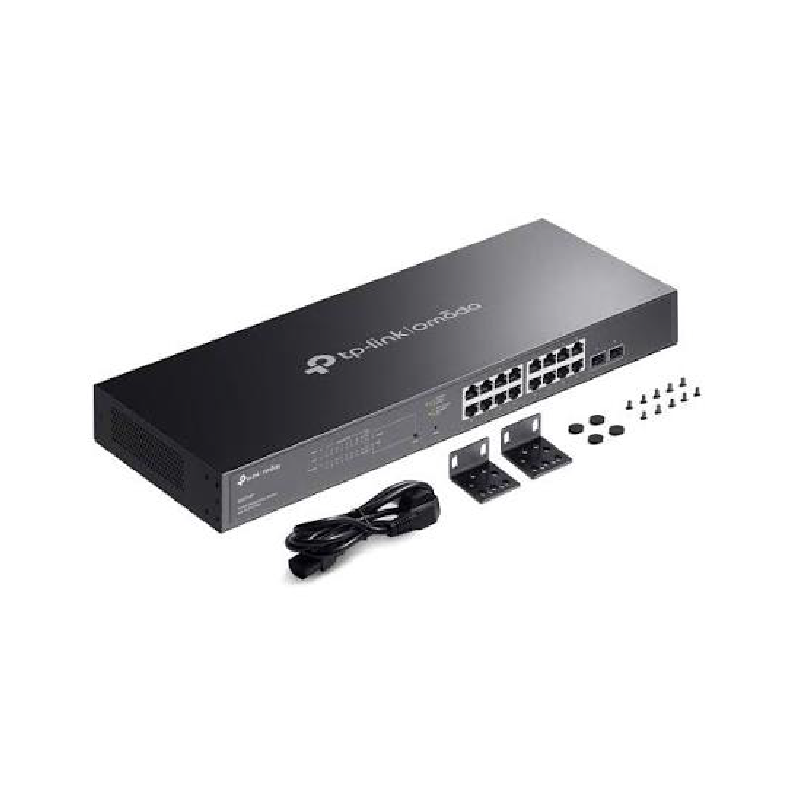
*Product images are shown for illustration purposes only. Actual product appearance and specifications may differ.
TP-LINK
TL-SG2218P
JetStream 18-Port Gigabit Smart Switch with 16-Port PoE+
The TP-Link JetStream TL-SG2218P is an 18-port full-Gigabit smart managed PoE+ switch featuring 16× 10/100/1000 Mbps PoE/PoE+ RJ45 ports (150W total power budget, up to 30W per port) and 2× Gigabit SFP optical uplink slots. Engineered for enterprise offices, hotels, schools, and IP CCTV deployments, it delivers a 36 Gbps switching capacity and 26.78 Mpps packet forwarding rate inside a durable 1U rackmount steel chassis. Integrated seamlessly into the Omada SDN ecosystem, it supports Zero-Touch Provisioning (ZTP), centralized cloud management via the Omada App or hardware/software controllers, L2+ Static Routing, 4,094 VLANs, IP-MAC-Port Binding, DoS Defense, and L2/L3/L4 QoS. It includes a 19-inch rackmount kit, rubber feet, and power cord in the box.
TP-Link TL-SG2218P Smart PoE+ Switch Key Features:
- Sixteen Full-Gigabit PoE+ Ports (150W Budget): All sixteen RJ45 ports support standard IEEE 802.3af/at PoE+ output up to 30W per port. Consequently, you can directly power ceiling Wi-Fi access points, dome security cameras, and office desk phones over single network cables.
- Two Gigabit SFP Fiber Uplink Slots: Two dedicated 1000BASE-X SFP optical slots deliver high-speed, long-distance uplinks to your core router or server rack. Therefore, all sixteen PoE ports stay completely free for your endpoint devices.
- Omada SDN Cloud Integration and Zero-Touch Setup: Seamless integration with Omada Software Defined Networking allows 100% centralized cloud control. You can easily deploy switches across multiple branches using Zero-Touch Provisioning and monitor everything from the Omada mobile app.
- Advanced L2+ Static Routing and QoS: Built-in static routing efficiently directs internal office traffic without overloading your main gateway. Meanwhile, L2/L3/L4 QoS and IGMP Snooping keep voice calls and live CCTV video streams smooth and lag-free.
- Enterprise Network Security and Rackmount Design: Robust defenses like IP-MAC-Port Binding, ACL, DHCP Snooping, and DoS Defend protect your local network from unauthorized access. Moreover, the durable 19-inch metal chassis includes rackmount kits for clean server cabinet installation.
Flexible Standalone or Cloud Management:
Ideal Business Applications:
Hardware Specifications
| Standards and Protocols | IEEE 802.3i, IEEE 802.3u, IEEE 802.3ab, IEEE802.3z, IEEE 802.3ad, IEEE 802.3x, IEEE 802.3az, IEEE 802.1d, IEEE 802.1s, IEEE 802.1w, IEEE 802.1q, IEEE 802.1p, IEEE 802.1x |
| Interface | • 16× 10/100/1000 Mbps RJ45 Ports (Auto Negotiation/Auto MDI/MDIX) • 2× Gigabit SFP Slots |
| Network Media | • 10BASE-T: UTP category 3, 4, 5 cable (maximum 100m) • 100BASE-TX/1000Base-T: UTP category 5, 5e or above cable (maximum 100m) • 1000BASE-X: MMF, SMF |
| Fan Quantity | 1 |
| Power Supply | 100-240V AC, 50/60Hz |
| PoE Ports (RJ45) | • Standard: 802.3at/af compliant • PoE+ Ports: 16 Ports • PoE Power Budget: 150 W |
| Dimensions | 17.3 × 7.1 × 1.7 in. (440 × 180 × 44 mm) |
| Mounting | Rack Mountable |
| Max Power Consumption | • 181.4 W (110 V/60 Hz) (with 150 W PD connected) • 178.3 W (220 V/50 Hz) (with 150 W PD connected) |
| Max Heat Dissipation | • 619.06 BTU/hr (110 V/60 Hz) (with 150 W PD connected) • 608.52 BTU/hr (220 V/50 Hz) (with 150 W PD connected) |
| Switching Capacity | 36 Gbps |
| Packet Forwarding Rate | 26.78 Mpps |
| MAC Address Table | 8K |
| Packet Buffer Memory | 4.1 Mbit |
| Jumbo Frame | 9 KB |
| Environment | • Operating Temperature: 0–50 ℃ (32–122 ℉); • Storage Temperature: -40–70 ℃ (-40–158 ℉) • Operating Humidity: 10–90% RH non-condensing • Storage Humidity: 5–90% RH non-condensing |
Software Specifications
| Quality of Service | • 802.1p CoS/DSCP priority • 8 priority queues • Priority Schedule Mode – SP (Strict Priority) – WRR (Weighted Round Robin) • Queue Weight Config • Bandwidth Control – Port/Flow based Rating Limit • Smoother Performance • Storm Control – Multiple Control Modes(kbps/ratio) – Broadcast/Multicast/Unknown-Unicast Control |
| L2 and L2+ Features | • 16 IP Interfaces – Support IPv4/IPv6 Interface • Static Routing – 32 IPv4/IPv6 Static Routes • DHCP Server • DHCP Relay – DHCP Interface Relay – DHCP VLAN Relay • DHCP L2 Relay • Static ARP • Proxy ARP • Gratuitous ARP • Link Aggregation – Static link aggregation – 802.3ad LACP – Up to 8 aggregation groups and up to 8 ports per group • Spanning Tree Protocol – 802.1D STP – 802.1w RSTP – 802.1s MSTP – STP Security: TC Protect, BPDU Filter/Protect, Root Protect • Loopback Detection • Flow Control – 802.3x Flow Control • Mirroring – Port Mirroring – CPU Mirroring – One-to-One – Many-to-One – Flow-Based – Ingress/Egress/Both • Device Link Detect Protocol (DLDP) • 802.1ab LLDP/ LLDP-MED |
| Advanced Features | • Automatic Device Discovery • Batch Configuration • Batch Firmware Upgrading • Intelligent Network Monitoring • Abnormal Event Warnings • Unified Configuration • Reboot Schedule |
| VLAN | • VLAN Group – Max. 4K VLAN Groups • 802.1Q tag VLAN • MAC VLAN: 12 Entries • Protocol VLAN • GVRP • Voice VLAN |
| Access Control List | • Support up to 230 entries • Time-Range – Time Slice – Week Time-Range – Absolute Time-Range – Holiday • Time-based ACL • MAC ACL – Source MAC – Destination MAC – VLAN ID – User Priority – Ether Type • IP ACL – Source IP – Destination IP – IP Protocol – TCP Flag – TCP/UDP Source Port – TCP/UDP Destination Port – DSCP/IP TOS • IPv6 ACL • Combined ACL • Rule Operation – Permit/Deny • Policy Action – Mirror – Rate Limit – Redirect – QoS Remark • ACL Rules Binding – Port Binding – VLAN Binding • Actions for flows – Mirror (to supported interface) – Redirect (to supported interface) – Rate Limit – QoS Remark |
| Security | • AAA • 802.1X – Port based authentication – MAC (Host) based authentication – Authentication Method includes PAP/EAP-MD5 – MAB – Guest VLAN – Support Radius authentication and accountability • IP/IPv6-MAC Binding – 512 Binding Entries – DHCP Snooping – DHCPv6 Snooping – ARP Inspection – ND Detection • IP Source Guard – 253 Entries – Source IP+Source MAC • IPv6 Source Guard – 183 Entries – Source IPv6 Address+Source MAC • DoS Defend • Static/Dynamic/Permanent Port Security – Up to 64 MAC addresses per port • Broadcast/Multicast/Unicast Storm Control – kbps/ratio control mode • Port Isolation • Secure web management through HTTPS with SSLv3/TLS 1.2 • Secure Command Line Interface (CLI) management with SSHv1/SSHv2 • IP/Port/MAC based access control |
| IPv6 | • IPv6 Static Routing and ACL • IPv6 Dual IPv4/IPv6 • IPv6 Interface • Multicast Listener Discovery (MLD) Snooping • IPv6 neighbor discovery (ND) • Path maximum transmission unit (MTU) discovery • Internet Control Message Protocol (ICMP) version 6 • TCPv6/UDPv6 • IPv6 applications – DHCPv6 Client – Ping6 – Tracert6 – Telnet(v6) – IPv6 SNMP – IPv6 SSH – IPv6 SSL – Http/Https – IPv6 TFTP |
| MIBs | • MIB II (RFC1213) • Bridge MIB (RFC1493) • P/Q-Bridge MIB (RFC2674) • Radius Accounting Client MIB (RFC2620) • Radius Authentication Client MIB (RFC2618) • Remote Ping, Traceroute MIB (RFC2925) • Support TP-Link private MIBs • RMON MIB(RFC1757, rmon 1,2,3,9) |
| Omada App | Yes, through • Omada Cloud-Based Controller • OC300 • OC200 • Omada Software Controller |
| Centralized Management | • Omada Cloud-Based Controller • Omada Hardware Controller OC300 • Omada Hardware Controller OC200 • Omada Software Controller |
| Cloud Access | Yes, through • Omada Cloud-Based Controller • OC300 • OC200 • Omada Software Controller |
| Zero-Touch Provisioning | Yes. Requiring the use of Omada Cloud-Based Controller |
| Management Features | • Web-based GUI • Command Line Interface (CLI) through telnet • SNMPv1/v2c/v3 • SNMP Trap/Inform • RMON (1,2,3,9 groups) • SDM Template • DHCP/BOOTP Client • Dual Image, Dual Configuration • CPU Monitoring • Cable Diagnostics • EEE • SNTP • System Log |
| System Requirements | Microsoft® Windows® XP, Vista™ or Windows 7/8/10/11, MAC® OS, NetWare®, UNIX® or Linux. |
Request a Quotation
Fill in your details below and we will get back to you with a quotation for TP-LINK TL-SG2218P.